Concretely
What it does, point by point.
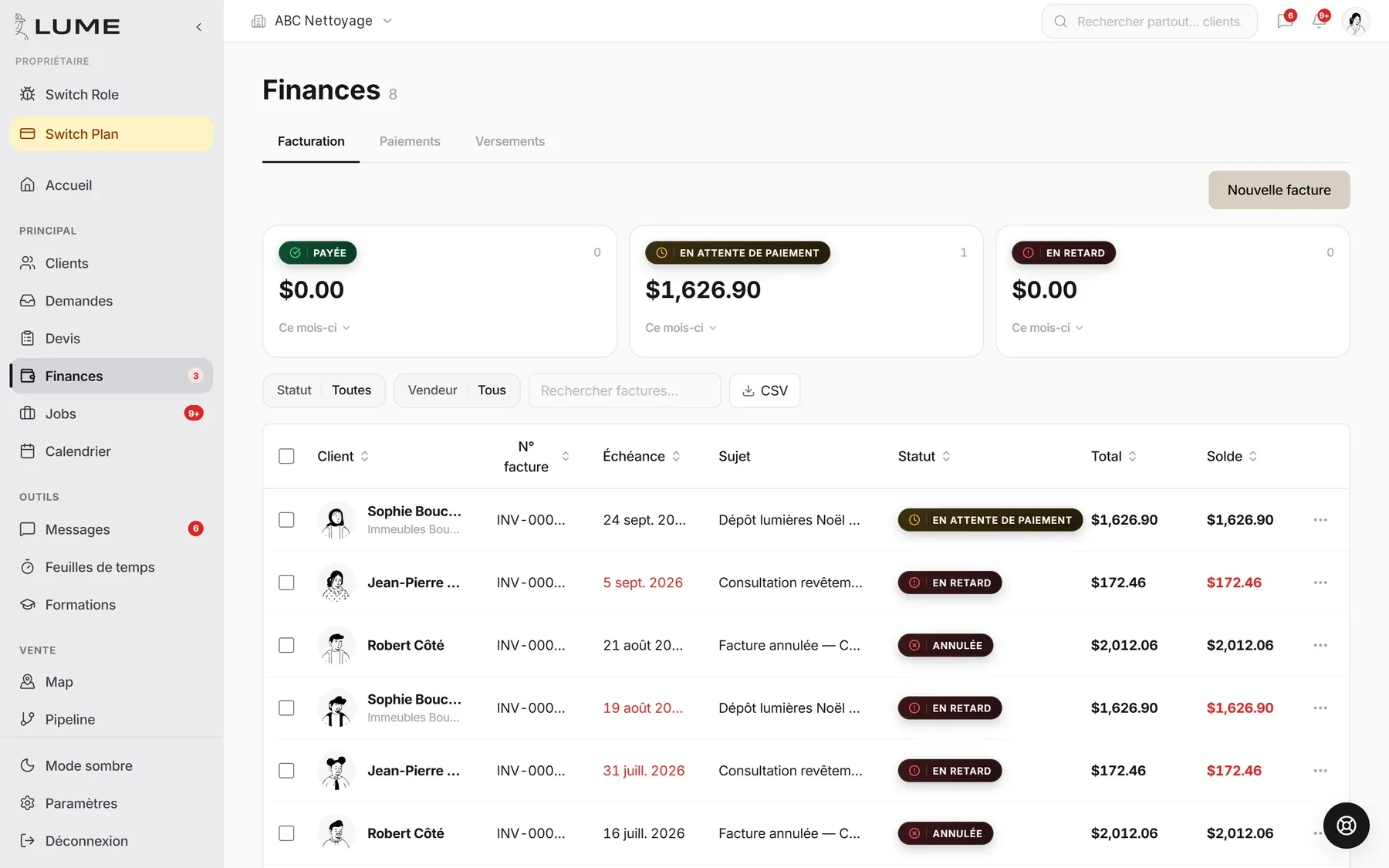
Created in one click from the job, with its lines and taxes. Sent by text or email.
By card, from the link. The payment reconciles itself with the invoice.
Three tiles, one table. You know what comes in and what sits.
Hours clocked on the phone, per job. You approve, it is ready for payroll.
Pay periods, rates, bonuses. On Friday, the list is ready.
Invoices and payments exported for your accountant, in one click.
How it goes
In three steps.
- 1The job is done
The field marks it done on the phone.
- 2The invoice goes out
With the payment link. Automatic follow-up at day 7.
- 3On Friday, payroll
Hours approved, payroll ready, accounting export.
What it replaces
- Invoices done at night
- The cheque that “is in the mail”
- Hours rebuilt from memory
Frequently asked questions
What are the online payment fees?
2.9% + $0.30 per online payment, collected by Lume at payment time. They include Stripe’s fees.
Does it replace my accountant?
No, it gives them clean data. The QuickBooks export saves them the retyping.
My payment failed, what do I do?
Two cases. Your Lume subscription: go to Settings → Plan & billing, the status shows “Past due”; click the billing portal button (card, invoices, receipts) and update your card — payment is retried automatically and you keep access during a 7-day grace period. A client paying an invoice: they retry themselves from their invoice link with another card; nothing to do on your side, the invoice stays “pending” until paid.
The other jobs