Sales
Quotes
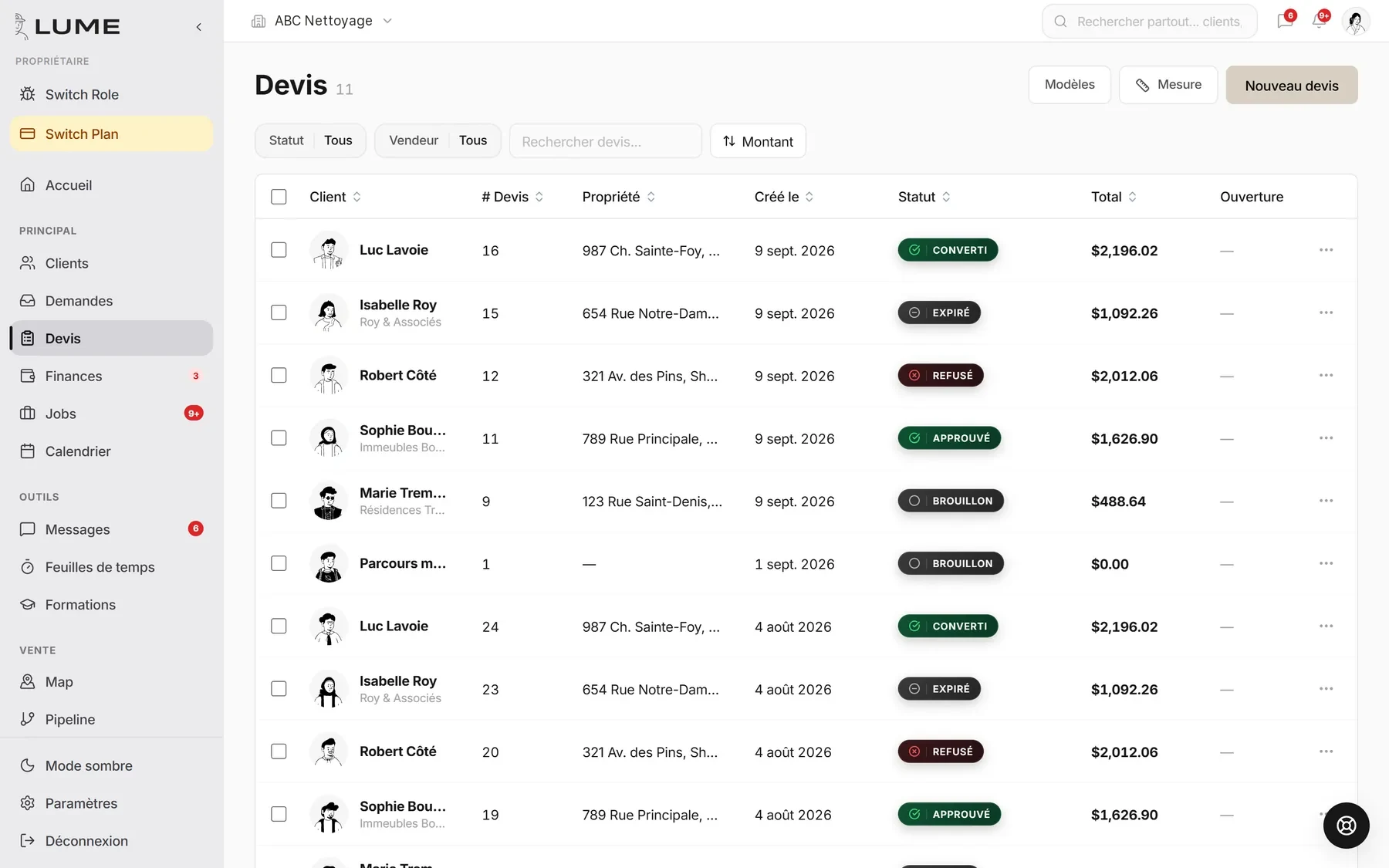
Sent from the job site, from a template, signed by the client on their phone. If it sits, Lume follows up for you.
Concretely
What it does, point by point.
Your services, your prices, your terms. A quote goes out in a few taps.
Trace the lot or the roof on the satellite image, the area goes into the quote.
The client opens the link, reads, signs. You are notified right away.
No answer at day 3: a text or an email goes out, politely, without you thinking about it.
Signed? It becomes a job to schedule, with the same lines and the same client.
Draft, sent, opened, approved, declined, expired. You know where each one stands.
How it goes
In three steps.
- 1You pick a template
The service, the quantities, satellite measuring if needed.
- 2The client gets a link
By text or email. They sign on their phone.
- 3Lume follows up or converts
No answer, it follows up. Signed, it becomes a job.
What it replaces
- Quotes in Word
- PDFs sent at night
- “I’ll get back to you” that never comes
Frequently asked questions
Is the electronic signature valid?
Yes. Name, date, time and document are kept with the quote.
Can I add options?
Yes, optional lines, shown to the client separately with the quote.
What is a quote preset, and what does it contain?
A ready-to-send quote template, in your name: a title, a description, a cover image, your list of services with prices and quantities, an intro text, your terms, and a deposit (fixed or percentage) if you ask for one. When your account is created, Lume suggests starter services for your trade (for residential cleaning: regular cleaning, deep cleaning, move-out cleaning, carpet washing); after that, your presets contain only what you put in them. Lumi only knows your own presets, not a generic catalogue.
How far can I edit a preset?
Fully: title, description, images, services — add, remove, change prices and quantities — intro text, terms, deposit and custom sections, under Quotes → Templates and presets. Quotes already sent don’t change: a preset is a starting point, each quote keeps its own copy. A preset you no longer use is deactivated rather than deleted, to keep history.
The other jobs